
Why can't I log into HeyTaco for Slack?
HeyTaco uses your Slack account to sign you in, so if you're having trouble, the first thing to check is whether you can sign into Slack itself in your browser.
Try opening Slack at slack.com and logging in with the email address your company uses. If you're stuck there, Slack's sign-in help guide can walk you through it:
https://slack.com/help/articles/212681477-Sign-in-to-Slack#desktop-1
Once you're signed into Slack, continue with the steps below.
1) Sign in to the correct Slack workspace.
Many people belong to multiple Slack workspaces, both professional and personal. Make sure you are signed into the Slack workspace where your company is using HeyTaco.
**Please make sure you use the correct email address when signing in to Slack.**
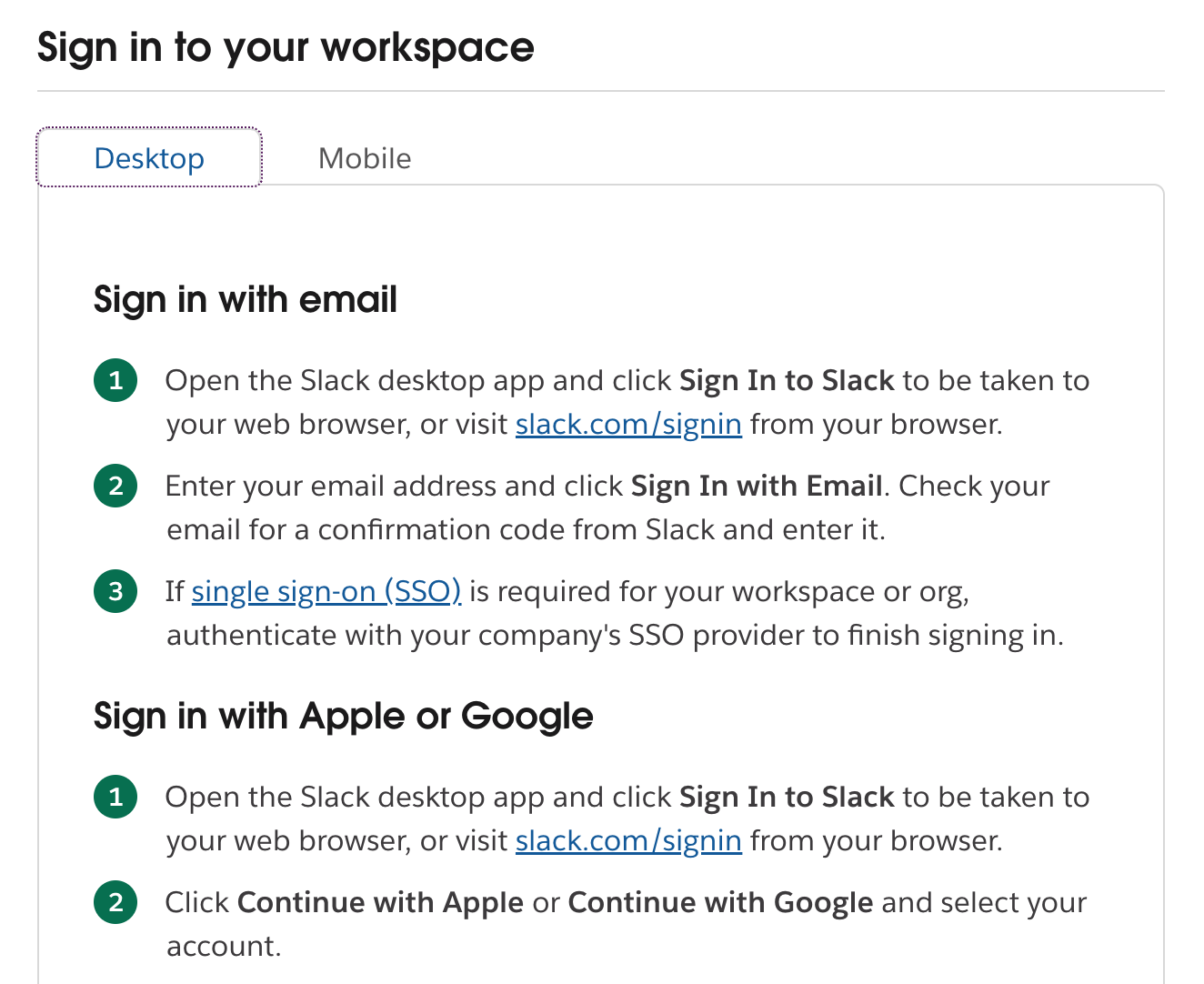
If you are still having issues signing into Slack, please refer to their detailed help article.
2) Sign in to HeyTaco
Once you're signed into the correct workspace, go to heytaco.com and click "Login" in the top-right corner. Select "Continue with Slack" and choose the correct workspace from the dropdown menu.
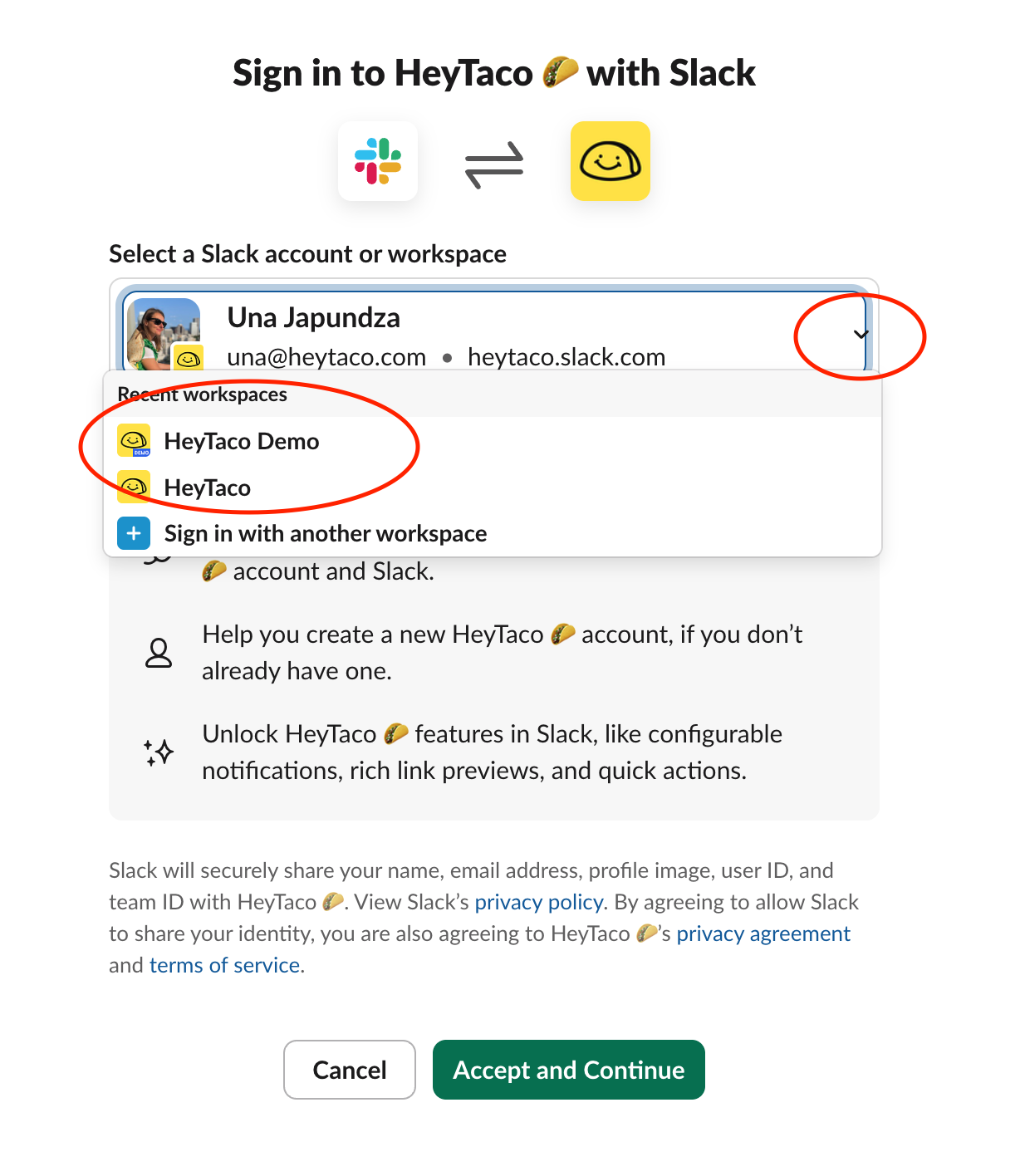
Voila'! You are now signed into HeyTaco.
If you end up signed into the wrong HeyTaco account (for example, your taco balance looks off), sign out via this link and repeat this step making sure to select the correct workspace.
Still can't get in? Here are other common reasons:
You're a guest user in Slack — Channel guests and multi-channel guests currently can't use Sign in with Slack. A Slack workspace admin can resolve this by upgrading the person to a full member from slack.com/admin.
Sign in with Slack is disabled — A Slack admin can re-enable it at slack.com/apps/manage/permissions.
You don't have a HeyTaco account yet — Accounts are created when someone gives or receives their first taco. If you've never done either, ask a teammate to give you a taco first, or try signing in at heytaco.chat/signin directly.
None of the above worked — Contact us and we'll help you get in.